App to Scan Receipts for Taxes? Complete Guide + Best Solution
Everything you need to choose the best receipt scanner app for taxes—IRS compliance, must-have features, comparisons, and how to get audit-ready in minutes.
❓ Quick Answer
The best app to scan receipts for taxes is one that uses AI-powered OCR, automatically categorizes expenses, stores receipts securely in the cloud, generates tax-ready reports, and integrates with accounting tools. ReceiptRecon is designed specifically for freelancers, small businesses, and consultants who want audit-ready expense tracking without manual data entry.
📑 Table of Contents
- Why You Need an App to Scan Receipts for Taxes
- IRS & Tax Compliance Requirements
- What Features Matter Most
- How Receipt Scanner Apps Work (Step-by-Step)
- ReceiptRecon – The Smart Tax Receipt Scanner
- Comparison Table – Top Receipt Apps
- Statistics That Prove You Need Automation
- How to Choose the Right App
- Real-World Use Cases
- FAQs
1. Why You Need an App to Scan Receipts for Taxes
Manual receipt management causes lost tax deductions, audit risk, time wastage, incorrect categorization, and end-of-year stress. According to the IRS, businesses must maintain accurate expense documentation to claim deductions.
Key Problems Without a Receipt Scanner App
- 🧾Paper receipts fade within months—digital storage preserves them indefinitely.
- 📂Gmail receipts get buried—a dedicated app keeps them searchable and organized.
- 📊Manual Excel tracking causes errors—AI eliminates typos and misclassification.
- ⏳5–10 hours/month wasted organizing expenses—automation gives you that time back.
2. IRS & Tax Compliance Requirements
Are digital receipts accepted for tax filing? Yes. The Internal Revenue Service accepts digital copies if they are:
- Accurate
- Legible
- Stored securely
- Easily retrievable
Many countries including HM Revenue & Customs (UK) and the Australian Taxation Office also allow digital record-keeping. Use a receipt organizer and cloud receipt storage that meets these requirements.
3. What Makes a Great Receipt Scanner App for Taxes?
Focus on these must-have features when choosing an app for receipts for taxes:
Explore our full feature list, including automatic categorization and audit-ready reports.
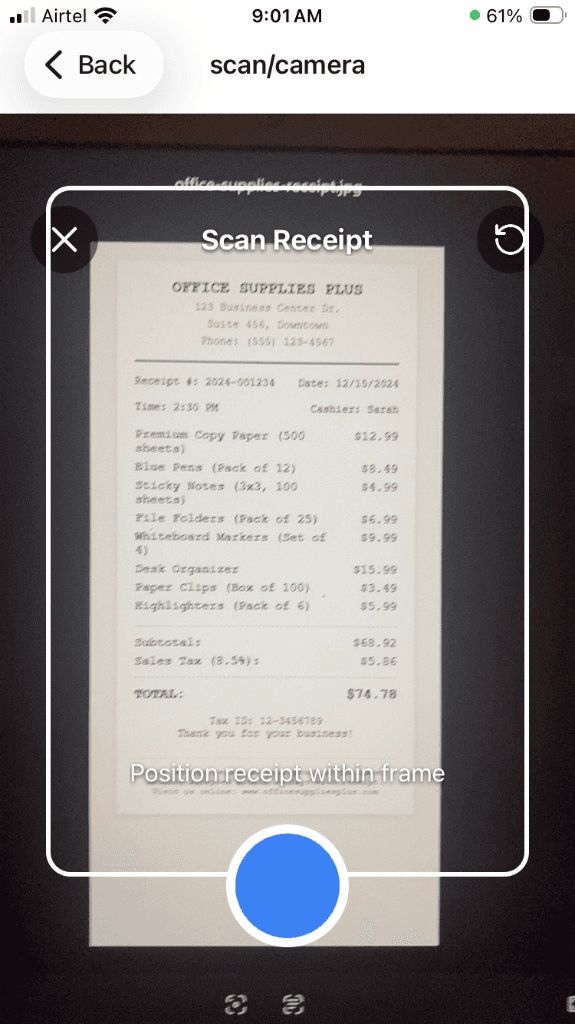
4. How an App to Scan Receipts for Taxes Works
How does a receipt scanner app actually work? In five simple steps:
- Take a photo of receipt — Use your phone or upload a file.
- AI OCR extracts — Vendor, date, amount, and tax are pulled automatically.
- App auto-categorizes — Expense goes to the right category (meals, travel, etc.).
- Stored securely in cloud — No more lost or faded receipts.
- Generate tax summary report — Export for your accountant or IRS.
Technologies Used
- • OCR (Optical Character Recognition)
- • Machine Learning categorization
- • Cloud Storage (secure, encrypted)
5. Introducing ReceiptRecon – AI Tax Receipt Organizer
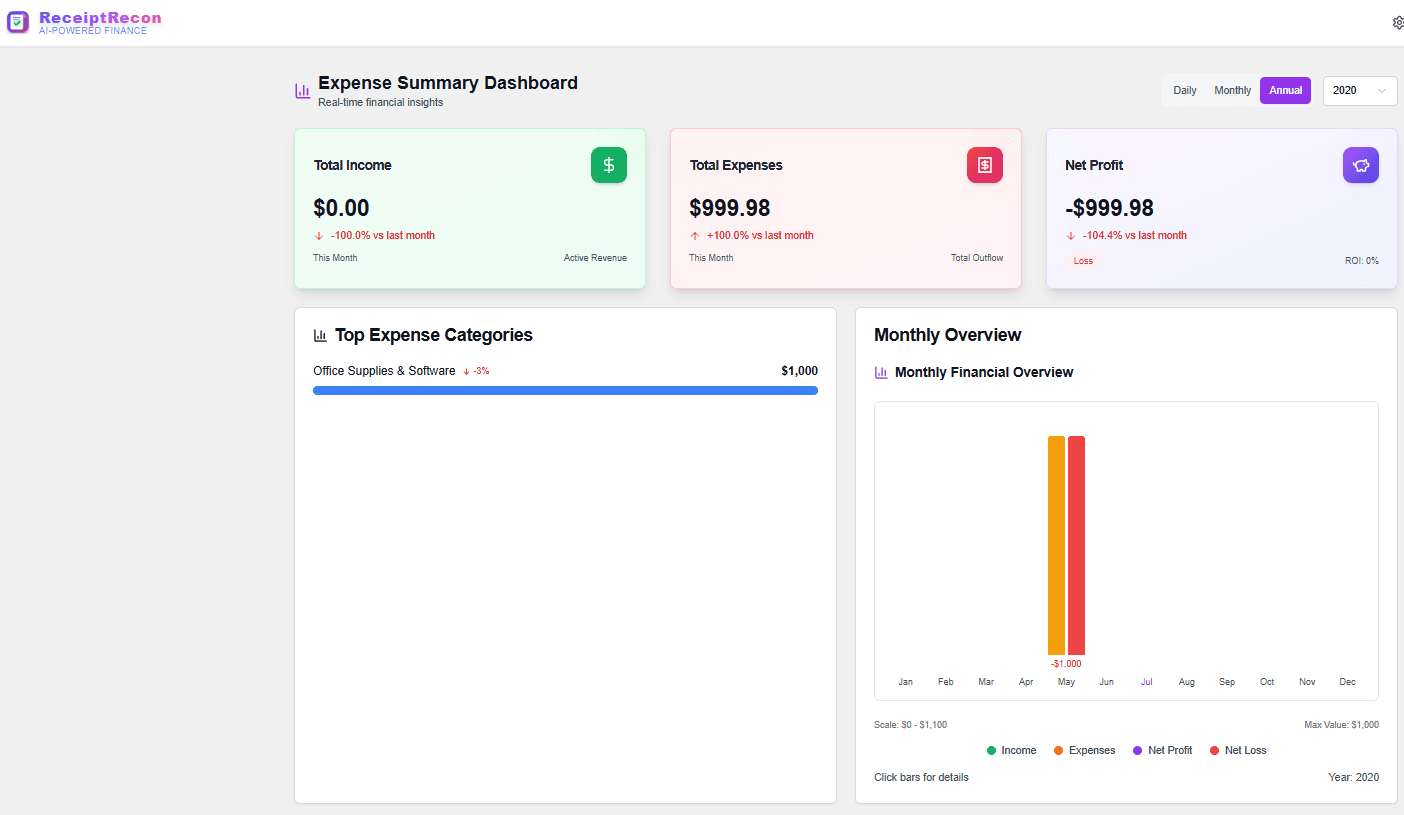
ReceiptRecon is an AI-powered app to scan receipts for taxes built specifically for freelancers and small businesses. Here’s why it stands out:
6. Comparison Table – Receipt Scanner Apps for Taxes
| Feature | ReceiptRecon | Expensify | Shoeboxed | Wave |
|---|---|---|---|---|
| AI OCR | ✅ | ✅ | ✅ | ❌ |
| Tax Reports | ✅ | Partial | Limited | ❌ |
| Freelance Focus | ✅ | ❌ | ❌ | ❌ |
| Audit-Ready Export | ✅ | Yes | Yes | Limited |
| Affordable for SMB | ✅ | Medium | Expensive | Free but limited |
7. Statistics That Prove You Need an App for Receipts for Taxes
- • 82% of small businesses fail due to poor cash flow management
- • 60% of freelancers miss tax deductions annually
- • 1 in 5 businesses face tax penalties due to documentation errors
- • Businesses save 5–8 hours/month using automation
Source: Small business accounting industry reports.
8. How to Choose the Best Receipt Scanner App for Taxes
What should you evaluate before choosing an app? Use this checklist:
- 🔍 Accuracy of OCR
- 🔐 Security compliance
- 📊 Reporting capabilities
- 💰 Pricing
- 🔄 Integrations (QuickBooks, Xero, etc.)
- 📱 Mobile app availability
See our QuickBooks and Xero integrations for seamless accounting workflows.
9. Real-World Use Cases
Freelancers
Track travel, meals, home office deductions, and client-related expenses with one app.
Consultants
Separate client billable vs non-billable expenses for accurate invoicing and tax reporting.
Ecommerce Sellers
Track shipping, advertising, and supplier costs for accurate profit reporting.
Learn how our AI receipt scanner and receipt organizer support these use cases. For freelancers, see our freelancer guide.
🎯 Ready to Simplify Your Tax Receipt Tracking?
ReceiptRecon eliminates manual receipt management—scan, categorize, and generate audit-ready tax reports in minutes. Built for freelancers and small business.
✨ What You Get:
📌 Frequently Asked Questions
Q1: Is a receipt scanner app legally valid for taxes?
Yes, if it stores accurate digital copies that are legible, secure, and retrievable. The IRS accepts electronic records.
Q2: Does OCR always work perfectly?
Modern AI OCR achieves 90–98% accuracy depending on image quality. ReceiptRecon uses advanced AI for best results.
Q3: Can I export reports for my accountant?
Yes, via PDF or CSV. ReceiptRecon generates tax-ready reports your accountant can use directly.
Q4: Is ReceiptRecon secure?
Yes. ReceiptRecon uses encrypted cloud storage for your receipts and financial data. Learn more in our security overview.
✅ Final Summary
If you're searching for app to scan receipts for taxes, receipt scanner app for taxes, or app for receipts for taxes—the solution is clear: Use AI-powered automation like ReceiptRecon to eliminate manual tracking, reduce audit risk, and generate tax-ready reports instantly.